Chariot DAFpay Integration
Unlock the Power of DAF Giving with DAFpay
DAFpay simplifies the Donor Advised Fund giving process for both your supporters and your team. With a seamless Tessitura integration, our platform processes real-time grant requests from thousands of unique DAF providers. This not only unlocks massive, untapped fundraising potential but also drives significant operational efficiency for your staff.
REST Permissions Required
In order to use the Chariot DAFpay Integration, there are specific REST Permissions that need to be granted. Here is a link to the Help Article
Step 1: Create your Chariot DAFpay account
- Go to this link to Create Your Chariot Account
- Create your Chariot DAFpay account
- Go to your 2Account dashboard and select the Chariot DAFpay menu
Step 2: Connect up your Chariot DAFpay
- You must be the owner of the account to connect or disconnect the Chariot DAFpay integration
- Enter your Employer Identification Number (EIN)
- Enter a valid administrative contact email address for your organization
- Click "Connect with Chariot DAFpay"

If it fails, you will receive the following message. Please fix the issue and try again.

Once your Chariot DAFpay is connected your will receive a Connected Green Smiley and Successfully Authenticated message. If you ever need to detach your Chariot DAFpay, the account owner can do it here using the "Detach Chariot DAFpay Account" button.

Step 3: Configure your Chariot DAFpay Tessitura Payment Method
Once your Chariot DAFpay account is connected you will have a new option to set a specific Payment Method for the DAFpay transactions.
You want to do this for 2 reasons:
1) The transactions are not using Stripe.
2) For accounting/reconciliation purposes.
DAFpay Payment Method
You should make a new Payment Method for your DAFpay transactions in Tessitura. Make sure that the D2 Group has access to the payment method in the Security Module. Lastly, you will need refresh the cache in your 2Account for Tessitura.
Navigate to the Tessitura Menu >> LIVE >> Configuration then scroll part way down the page and look for Chariot DAFpay Payment Method. Select the new payment method you want to use.

Step 4: Install the DAFpay Stored Procedure
You can download and run the DAFpay install script against Tessitura, then enter the resulting local procedure ID below.
Validation executes the procedure's health-check branch before any DAFpay processing can be enabled. If the Procedure ID you entered fails validation, the ID is either wrong or the installation failed. You will need to investigate and determine the problem and get it fixed so you can validate the procedure ID.


Step 5: Configure your DAF Account Mapping & Settings

Donor Advised Fund Charitable Account
Choose this option if your organization wants to maintain detailed, individualized records for every single Donor Advised Fund provider (e.g., Fidelity Charitable, a specific local bank, or a community foundation) within Tessitura. By mapping specific DAF providers to their unique Constituent IDs, you ensure that every transaction is explicitly attributed to the exact financial institution issuing the grant. This is the ideal choice for organizations that require highly granular financial reporting, strict reconciliation tracking, and precise oversight of exactly which institutions are distributing funds.
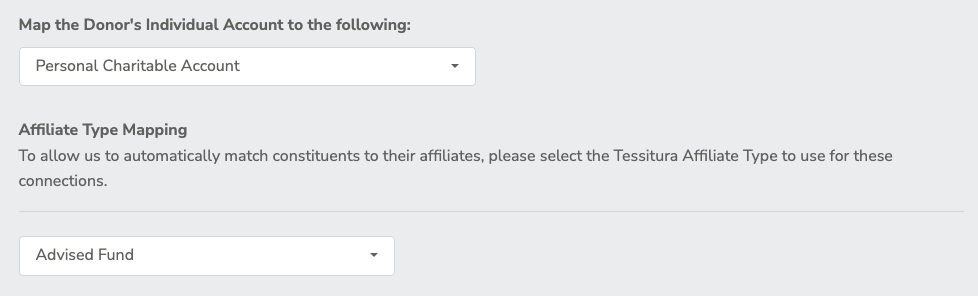
Personal Charitable Account
Select this option if your organization prefers to track DAF giving through established relationship networks between the individual donor and their specific charitable vehicle. By defining an "Affiliate Type" (such as "Advised Fund"), the system will automatically match the individual constituent to their affiliated personal foundation or fund record. This is best for organizations heavily focused on donor relationship management, as it ensures giving histories, soft credits, and household structures remain cleanly and automatically connected to the individual donor's profile in Tessitura.
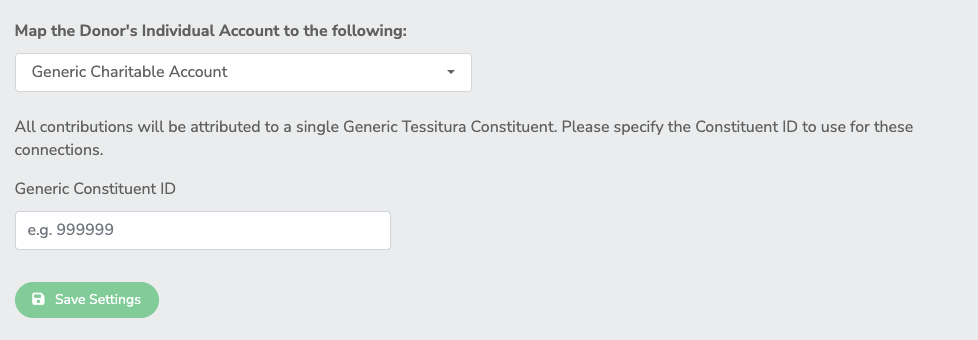
Generic Charitable Account
Opt for this streamlined approach if you want the simplest, lowest-maintenance setup. This option routes every incoming DAF contribution—regardless of which financial institution it came from—into a single, universal catch-all Tessitura Constituent record (e.g., a "Generic DAF Provider" account). It is perfectly suited for organizations that do not need to clutter their CRM with distinct records for every bank or community foundation in the country, and instead just want a centralized bucket to process the inbound payments quickly while still appropriately soft-crediting the individual donor.
Donor Advised Fund Charitable Account

DAF Provider & Tessitura Constituent Mapping Tool
The mapping determines where future DAFpay transactions from that provider are processed.
- Select a DAF Provider
- Enter a Tessitura Constituent ID
- Select a Payment Method or use the Default DAFPay Payment Method

Configured Mappings
You can do the following with the tool bar
- Search mappings by provider, constituent, payment, or status
- Expand or collapse all mappings
-
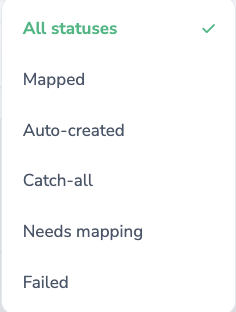
Filter by All statuses, Mapped, Auto-created, Catch-all, Needs mapping, and failed

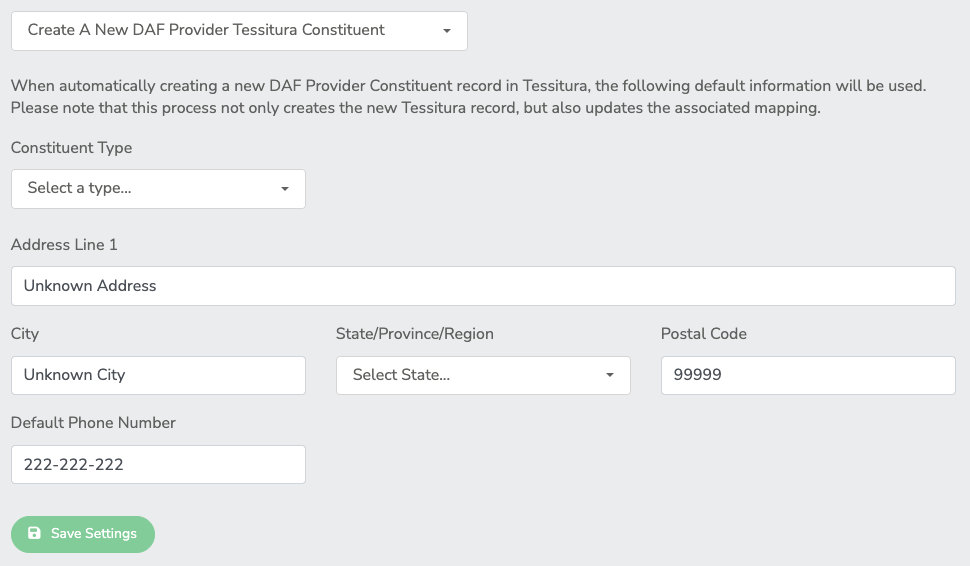
Unmapped DAF Handling
-
Create A New DAF Provider Tessitura Constituent
-
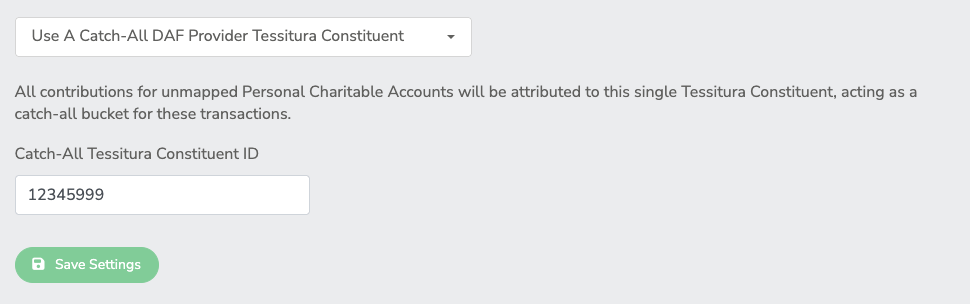
Use Catch-All DAF Provider Tessitura Constituent
-
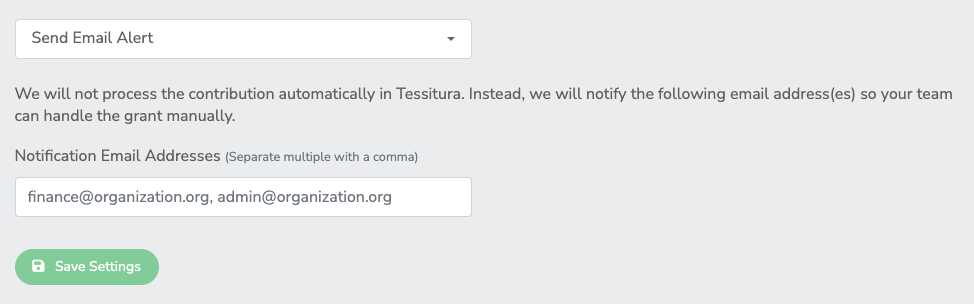
Send Email Alert
Personal Charitable Account
Select the option for Mapping the Donor's Individual Account
-
Personal Charitable Account
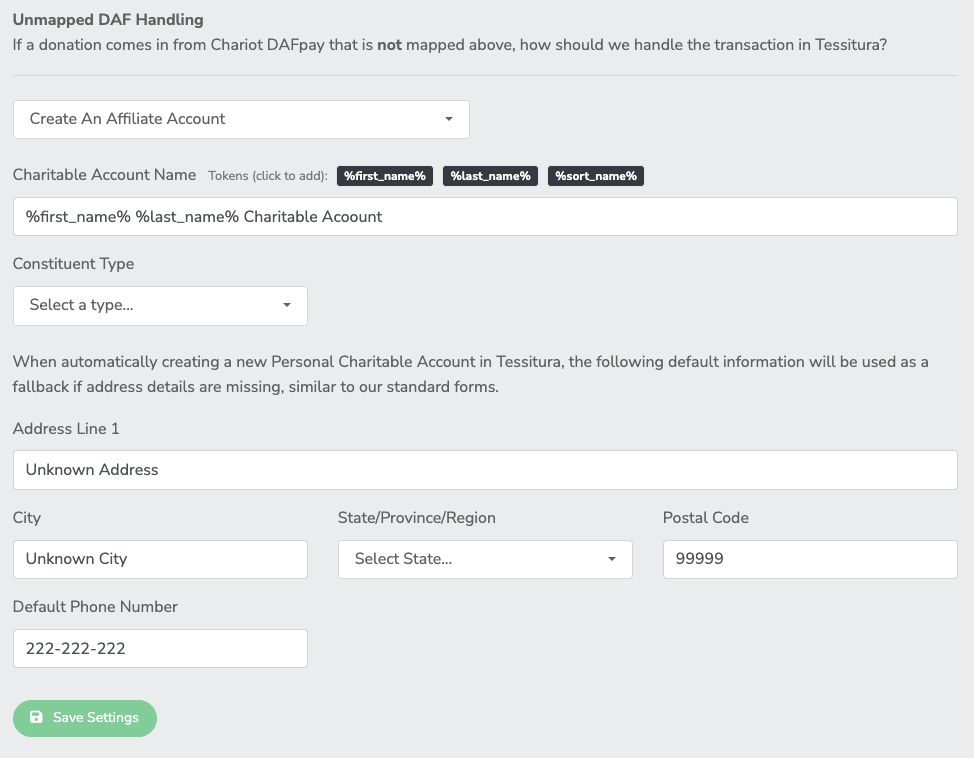
Unmapped DAF Handling
-
Create An Affiliate Account
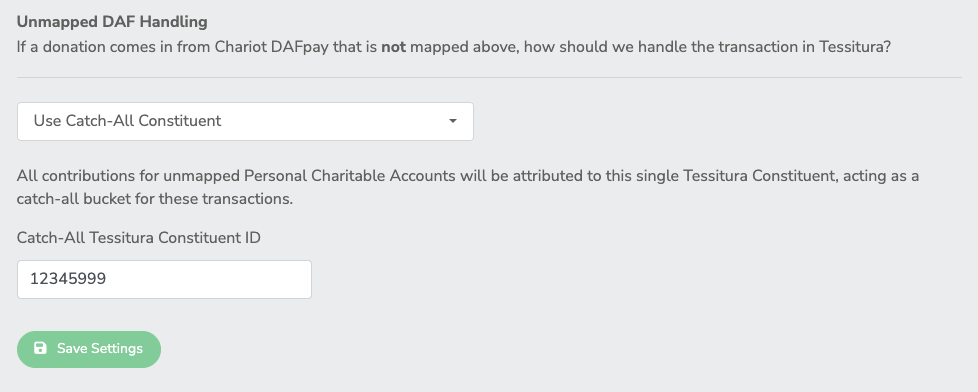
-
Use Catch-All Constituent
Generic Charitable Account
Select the option for Mapping the Donor's Individual Account
-
Generic Charitable Account